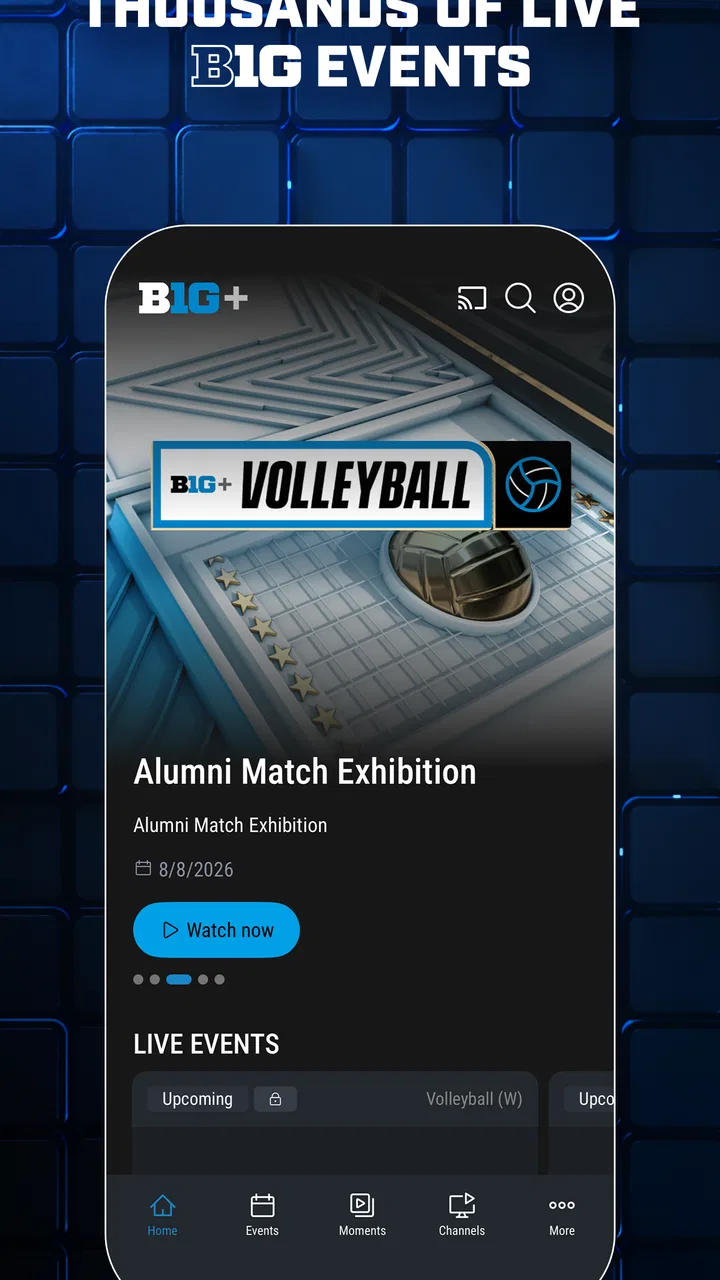
B1G+: Watch College Sports
- 2.4
- Rating
- 1.00M
- Installs
- Free
- Price

 Analysis by App-foxy
I approached B1G+: Watch College Sports as a practical companion for following Big Ten college sports when regular television coverage is not enough. Developed by Big Ten Network, this free sports app focuses on live streaming for non-televised B1G games, next-day replays, and on-demand video. That combination makes it more useful than a simple scores app, but it also means its value depends heavily on what you want to watch and how consistently the service works on your particular device and connection.
My overall impression is mixed but clear: this is a worthwhile option for dedicated Big Ten followers who want access to games and video beyond the usual broadcast schedule. It is less convincing for casual sports viewers, people who mainly need quick scores, or anyone expecting a broad college-sports service covering many conferences. The app has a focused purpose, and that focus is both its main strength and its biggest limitation.
How B1G+ Fits Into a Real Sports-Watching Routine
The most useful way to think about B1G+ is not as a replacement for every sports service you already use. I see it more as an additional viewing route for B1G events that may not appear on ordinary television. If your favorite team is playing an event that receives limited broadcast attention, the app can become the place you check first rather than searching through unrelated streaming platforms.
You May Also Like

 Blood Strike: 2.5 Anniversary
Blood Strike’s Loadouts Turn Every Drop Into a Tactical Gamble
A close look at Blood Strike’s custom loadouts: how fast access to signature weapons reshapes its battle royale rhythm, rewards preparation, and narrows the gap between fights.

 Pandora - Music & Podcasts
Pandora’s Music Is Easy to Start, but Harder to Recover
Pandora’s strength is its low-effort path from a seed to a station. Its weak spot is how much confidence it asks you to place in connection, setup, and quiet recovery.

 8 Ball Pool
 Is Built on Rivalries, Rematches, and Routine
A close look at the rivalries, rematches, shared routines, and unanswered safety questions that turn a quick pool match into a persistent mobile community.

 Samsung Music
’s Quiet Strength Is Playing What You Already Own
Its reach comes less from spectacle than from dependable access to a personal library. That simplicity is both the app’s strongest retention engine and its ceiling.

 AccuWeather: Weather Radar
AccuWeather Review: A Quick, Clear Forecast for Everyday Decisions
For everyday plans, the best forecast is the one you can understand quickly. AccuWeather makes rain timing, radar, and local conditions easy to act on, with a few trade-offs.

 Hill Climb Racing
Why Hill Climb Racing Still Turns Crashes Into One More Run
A tiny car, a bumpy hill and one more upgrade: Hill Climb Racing keeps resurfacing because its simple chaos makes every near-miss feel personal.
More From Our News Desk



A realistic example would be a weekend when you are following a university team but cannot find its event in your normal channel guide. Instead of assuming the game is unavailable, you can open B1G+, look for the live event, and return later if you missed it. The next-day replay option is especially relevant here. It suits viewers who cannot rearrange work, classes, family plans, or travel around a fixed start time.
The on-demand side also changes how I would use the app. Live viewing is naturally the headline feature, but recorded material is more convenient when you want to review a moment, catch up after the fact, or watch without committing to an entire live broadcast. For a fan who follows several teams, that flexibility can matter more than simply having another live channel.
There is an important trade-off, though. This is a Big Ten-focused product rather than a universal sports hub. If you regularly move between conferences, professional leagues, international competitions, and general sports news, a broader streaming package or a dedicated scores application may serve you better. B1G+ makes the most sense when the conference itself is central to your viewing habits.
What the app feels like during ordinary use
In day-to-day use, I would judge the app less by how many screens it offers and more by how quickly it gets me from opening it to the event I want. Sports apps are often used under time pressure: a game is about to begin, a result has just changed, or you are checking whether a replay is available. A focused catalog can help because there is less reason to browse unrelated content.
That said, a sports streaming app can never be evaluated only by its menus. The real experience depends on whether the event is available, whether the stream starts smoothly, and whether the playback remains dependable when interest is highest. I would therefore install it before an important game rather than waiting until the opening minutes. That gives you time to sign in, explore the event area, and understand the replay workflow without the pressure of a live start.
The app is free to install, but in-app purchases range from $9.99 to $99.99 per item. I would treat that as a reason to check the viewing terms for the specific content you want before assuming that every event is included at no extra cost. The download price and the cost of access are not necessarily the same thing, so this distinction matters for anyone planning a sports budget.
Speed expectations when a game is about to start
Perceived speed matters more in this category than it does in many ordinary apps. A delay of a few seconds while opening a library is tolerable; a delay while a match is already underway feels much worse. My practical advice is to open B1G+ early, especially for a high-interest event, and avoid treating it as an emergency tool that must solve everything instantly.
Because the app delivers video, the first impression of speed is shaped by several things at once: the application itself, the phone or tablet, the operating system, and the quality of the current connection. I would not interpret a slow start on one network as proof that the app is always slow. Conversely, I would not assume that a quick opening guarantees uninterrupted playback during a busy live event.
For a smoother routine, I would close unnecessary video or download activity before starting a stream, use a stable connection, and keep the app updated. These are simple steps, but they are more useful than repeatedly restarting the stream after it has already begun. If you are watching away from home, I would also avoid beginning a live game in a location where your connection is already inconsistent.
The next-day replay feature offers a practical speed advantage of its own. It removes the urgency of joining at the exact start time and can make the service feel more dependable for viewers whose schedules are unpredictable. If your priority is watching the entire event rather than receiving it live, replay viewing may be the less stressful part of the experience.
Heavy-use moments and the pressure of live viewing
The hardest test for any sports streaming app is the moment when many viewers want the same event. A live game attracts more attention than an ordinary on-demand clip, and that is when small problems become noticeable: a stream may take longer to begin, playback may need to recover, or the viewer may feel forced to refresh at the worst possible time.
I would approach B1G+ with realistic expectations during those peak moments. The app is designed around live sports, but no streaming application can make a weak connection behave like a strong one. If the picture pauses while other devices in the home are using bandwidth, the first thing I would check is the network rather than immediately blaming the application.
A useful habit is to prepare a fallback viewing plan. That does not mean assuming failure; it means knowing where you can check the score if the stream needs a moment to recover, or deciding whether you would rather watch the next-day replay than spend the whole event troubleshooting. For a major rivalry or a one-time viewing party, I would test the app before the event and choose a reliable network instead of relying on last-minute mobile data.
Another trade-off appears when you use the app for long sessions. Live sports can keep the screen active for a considerable time, and video playback naturally demands more from a device than reading scores or browsing headlines. A phone with limited battery may need to stay connected to a charger. If you are watching several events in succession, a larger screen may be more comfortable, while a phone remains convenient for short checks and travel.
Reliability, recovery, and what to do when playback breaks
Reliability is not just the absence of crashes. For me, it also includes how easily I can recover when something goes wrong. A useful sports app should let me return to the event without losing too much time, and its replay library should reduce the consequences of missing a live moment. B1G+ has an advantage here because next-day replays and on-demand videos provide alternatives to live viewing.
If playback stops, I would first pause briefly rather than tapping repeatedly. Repeated commands can make it harder to tell whether the app is responding or waiting for the connection. I would then check the connection, reopen the event if necessary, and try the replay later if the timing is not essential. For live-only viewers, that process may feel frustrating; for people comfortable with delayed viewing, the replay option makes the problem less serious.
The app’s average rating is 2.3 from around 7 thousand ratings, with roughly 2.9 thousand written reviews. I would not treat that figure as a complete technical diagnosis, because ratings can reflect access expectations, device differences, billing experiences, content availability, and individual network conditions as well as playback. Still, it is a meaningful signal that I would take seriously before making the app my only way to watch an important event.
My recommendation is to test the complete path before depending on it: install the app, open the relevant content area, confirm that the event or replay is presented as expected, and make sure your account and viewing arrangement are ready. This is more valuable than merely checking whether the application launches. A sports app can open perfectly and still be inconvenient if the content you need is difficult to reach at game time.
Device constraints and the cost of long viewing sessions
B1G+ supports devices running Android 8.0 or later, which gives it a broad compatibility range for many users. Even so, operating-system compatibility is only the starting point. Older phones may technically run the app while feeling less comfortable during extended video playback, especially if storage is tight, the battery is worn, or several demanding applications are active.
I would be more confident using it on a reasonably current device with enough free storage and a dependable connection. That does not mean you need an expensive phone. It means that the basic conditions for streaming matter: a screen you can comfortably watch, enough battery for the event, and a network that does not repeatedly drop or slow down.
Resource demands are also connected to how you watch. Checking a replay for a few minutes is a lighter commitment than leaving a live stream running through an entire game. If your phone becomes warm during long video sessions, I would remove thick insulation if safe to do so, avoid placing it in direct sunlight, and keep other demanding tasks closed. These are sensible precautions for the device, not promises that the app itself will behave identically on every model.
The Everyone content rating makes the app broadly approachable from an age-classification perspective. In practice, the more important question for families is whether the available sports content matches what they want to watch and whether purchases are understood before viewing begins. Since the app includes paid items, I would make sure the person using the device knows which access choices are being made.
On a tablet, the service may be more pleasant for replay sessions because the larger display reduces the need to hold the device close. On a phone, I prefer it for quick viewing, checking whether an event is available, or following a game while away from home. If your main goal is a shared living-room experience, a conventional television setup or broader streaming platform may be more convenient than building the whole experience around a mobile app.
Where it beats ordinary alternatives—and where it does not
Compared with a basic sports-news or scores app, B1G+ offers a much deeper viewing experience. Scores can tell you what happened, but they cannot replace seeing the event or catching a replay. For a Big Ten supporter who cares about games that receive limited television attention, that difference is substantial.
Compared with a general streaming package, B1G+ has the opposite profile. A broader service may be better if you want many leagues in one subscription or frequently watch sports outside the Big Ten. B1G+ is more targeted, so its value rises when the conference-specific content is exactly what your broader service does not provide.
It also differs from social media clips. Short videos are useful for quick highlights, but they rarely provide the same continuity as a full event or a proper replay. If you want to understand the flow of a game rather than see isolated moments, B1G+ is the more suitable tool. If you only want a quick update during a work break, opening a full streaming app may be unnecessary.
I would skip it if your interest in Big Ten sports is occasional and you already have every event you want through another service. I would also hesitate if you need guaranteed access to a wide range of sports in one place. The focused catalog is an advantage for the right viewer, but it does not become a disadvantage simply because it is not a universal platform; it is a mismatch only when your viewing habits are broader than its purpose.
Who should install it and how I would use it
I think B1G+ is best suited to committed Big Ten fans, alumni, students, families following a particular university, and viewers who regularly encounter events outside their normal television schedule. The live stream is useful when you want to be present as something happens, while the replay and on-demand options are better for people who value flexibility over immediacy.
My preferred workflow would be to install it ahead of the season or before a busy sports weekend, check the event area early, and decide whether I am watching live or later. For an important game, I would test the connection beforehand and keep the device charged. For a less urgent event, I would wait for the next-day replay rather than allowing a poor live connection to dominate the experience.
I would also keep expectations realistic about payments. The app itself is free, but individual in-app items can cost from $9.99 to $99.99. Before paying, I would identify the exact event access I need and consider how often I will use it afterward. A single important viewing may justify a purchase for one person, while a broader package makes more sense for someone who follows B1G coverage throughout the year.
Big Ten Network has maintained the app since its release on June 7, 2012, and the current version is 11.18.1. Those details tell me this is an established product rather than a brand-new experiment, but they do not remove the need to judge the current experience on your own device. I would update it through the normal app-store process and avoid waiting until the start of a major event to discover that an older installation needs attention.
My performance verdict after weighing the trade-offs
My verdict is that B1G+ is a specialized sports streaming app with a genuinely useful role. Its strongest point is the connection between live access, next-day replays, and on-demand video for Big Ten content that may not fit neatly into a regular television routine. That makes it more than a news feed and more flexible than a live-only destination.
Its weaker side is the uncertainty that comes with any live video service, especially when the event matters most. The relatively low average rating, the possibility of device and network differences, and the presence of paid access options mean I would not recommend relying on it blindly for a once-in-a-lifetime viewing moment. Preparation makes a noticeable difference: test it early, understand the access arrangement, and know whether a replay is acceptable.
For a casual viewer, I would choose a simpler scores service or use an existing general streaming option. For a dedicated Big Ten fan, I would install B1G+ and give it a fair trial because its focused content can fill a gap those alternatives leave open. The best reason to use it is not that it replaces every sports app, but that it gives committed B1G viewers another practical way to reach the events and replays they actually care about.
In the end, I see it as a conditional recommendation rather than an automatic one. It is free to download, broadly accessible on supported Android devices, and clearly aimed at fans who want more than scores. If your viewing habits match that purpose and you prepare for live-streaming friction, it can become a valuable part of your sports routine. If you want a single, all-purpose sports subscription with effortless coverage of everything, I would look elsewhere.
FAQs for B1G+: Watch College Sports
01What sports can I watch on B1G+: Watch College Sports?
B1G+ offers a wide range of live and on-demand college sports content, primarily focusing on the Big Ten Conference. Users can enjoy sports like football, basketball, volleyball, wrestling, and more. The app provides access to both men's and women's sports, ensuring a comprehensive viewing experience for college sports enthusiasts.
02Is there a subscription fee for B1G+: Watch College Sports?
Yes, B1G+ operates on a subscription model, offering various plans to suit different needs. Users can choose from monthly, annual, or sport-specific passes. Each plan provides different levels of access to live games and archived content, allowing fans to select a subscription that best matches their viewing preferences.
03Can I watch B1G+ content on multiple devices?
B1G+ supports multi-device streaming, allowing users to watch content on a variety of devices, including smartphones, tablets, and PCs. The app is compatible with both Android and iOS platforms, and users can log in from multiple devices, offering flexibility and convenience for on-the-go sports viewing.
04Does B1G+ offer live streaming of games?
Yes, B1G+ provides live streaming of numerous Big Ten sports events. Subscribers can access live broadcasts of games, ensuring they don't miss any action from their favorite college teams. The app also offers on-demand content, so users can catch up on games they may have missed.
05Are there any special features available on B1G+?
B1G+ includes several features to enhance the viewing experience. Users can enjoy real-time stats, highlights, and replays, as well as customizable notifications for their favorite teams. The user-friendly interface ensures seamless navigation, making it easy for fans to keep up with their teams and access exclusive content.
Pros
- Extensive college sports coverage available.
- High-quality streaming with minimal buffering.
- User-friendly interface for easy navigation.
- Offers exclusive content and interviews.
- Supports multiple device streaming.
Cons
- Requires a subscription for full access.
- Limited availability outside the U.S.
- Occasional ads during live streams.
- Some users report app crashes.
- Not all games available on demand.

B1G+: Watch College Sports
Gallery